
Chapter 14 · 14.6
Nextcloud updates: when and how
WebOké manages your Nextcloud server and keeps it secure and up to date. When a new major version of Nextcloud becomes available for you, you, as the owner, can choose when to switch. You do this using the version card on the package page in My WebOké.
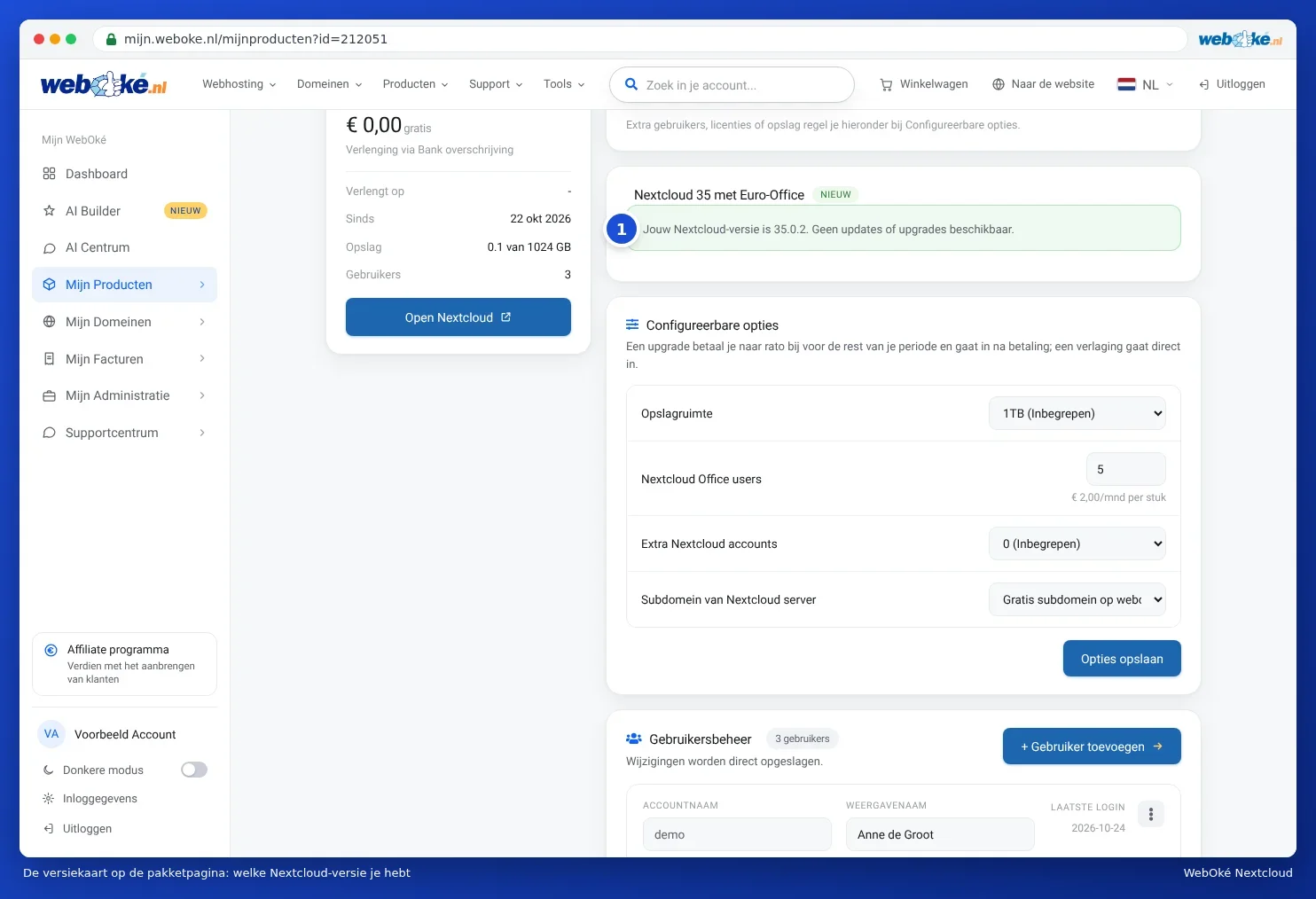
Which version do you have?
The version card (1) might say, for example: Your Nextcloud version is 35.0.2. No updates or upgrades available. In that case, you don't need to do anything.
A new version is ready for you
If so, the card will show that a new version is ready for you, with a button such as Upgrade to Nextcloud 35.x.
- Let your users know that your Nextcloud will be unavailable for a few minutes. Ask them to save and close any open documents.
- Click the button and confirm the prompt.
- The update usually takes 5 to 15 minutes. Refresh the page to see its progress.
Is there a date shown on the card? If you don't start the update yourself, we'll carry it out for you by that date at the latest.
| You see | What it means |
|---|---|
| The update is scheduled and will start within a few minutes. | The update is about to begin. |
| The update is running. Your Nextcloud will be back shortly. | Please wait. In the meantime, you'll see a maintenance notice in Nextcloud (see The "Maintenance mode" message). |
| Your Nextcloud version is ... No updates or upgrades available. | Done. |
| The update did not fully succeed. We are looking into it, you do not need to do anything. | We'll fix it for you. You can also try again with Retry. |
Your files, users, passwords, shared links and Office licences stay in place during an update. The desktop app and the apps on your phone pause during the update and resume automatically afterwards.
Can't use the button?
- Only the account owner can start this update. Log in with the main account of your WebOké account.
- You just tried this. Please wait a few minutes. Wait a moment and refresh the page.
- This update cannot be started for this package. Contact support, we'll arrange it for you.
Tip: does your package include Office licences and is the card called Nextcloud 35 with Euro-Office? Then this same update will switch you over to Euro-Office. You can read what will change for your users in the Euro-Office manual: Switching to Euro-Office.
Nextcloud Free runs on our shared Nextcloud. We update that ourselves, so there's no button for it.