
Activate DNSSEC
With DNSSEC you put a digital signature on the DNS of your domain. We recommend it: it makes your domain more secure and you need it for a score of 100% on internet.nl. You can read exactly what DNSSEC is in What is DNSSEC?
Turning on DNSSEC
- Go to My Domains in My WebOké and open the DNSSEC/DANE tab. You can also click Manage next to DNSSEC on the domain page.
- Check whether two keys are shown on the right under At WebOké. For a new domain it may take a while before they become visible.
- Click Activate DNSSEC.
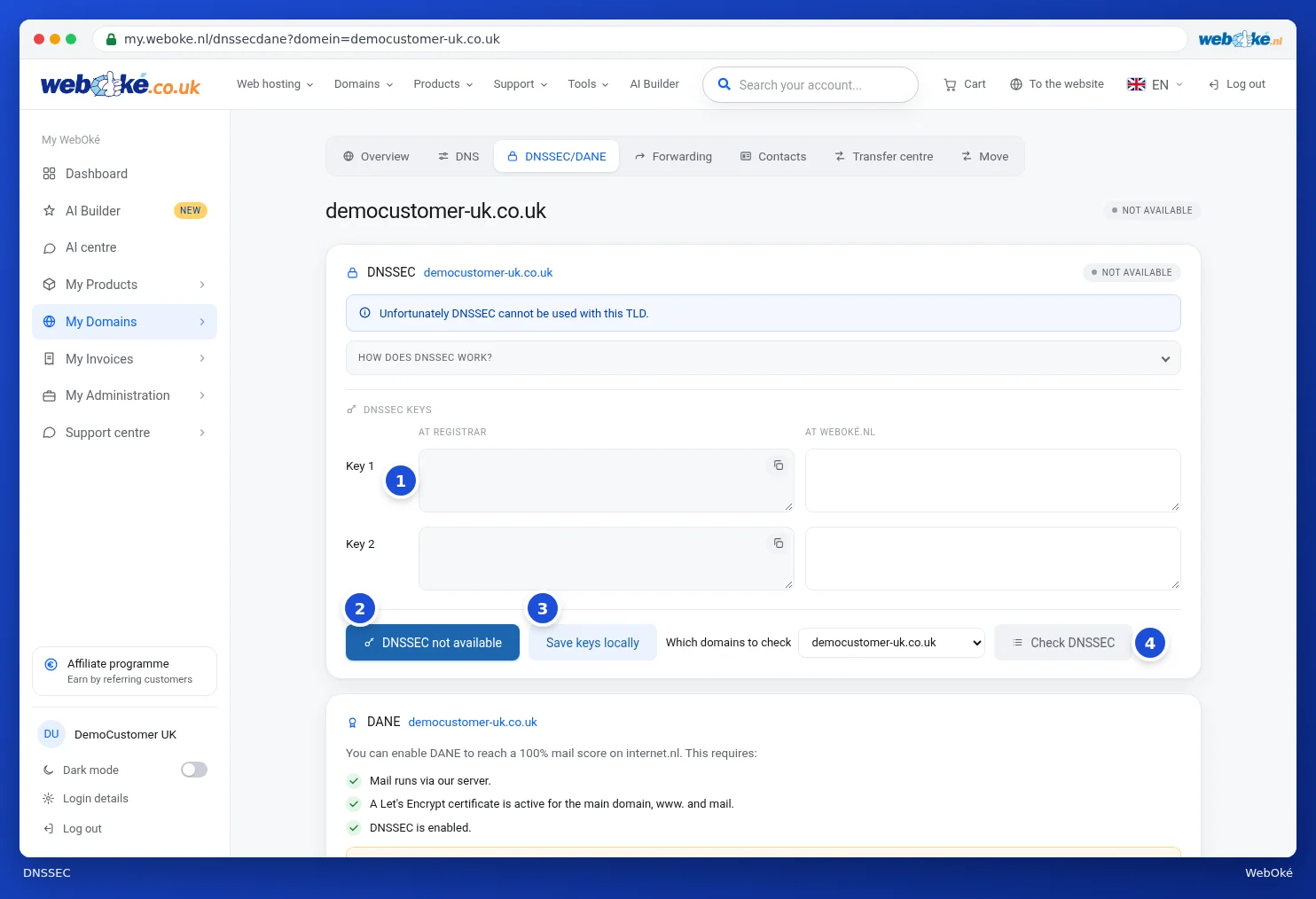
Turning it on happens immediately, but it can take up to 12 hours before it's visible everywhere. If you still don't see any keys at WebOké after 4 hours, please contact support.
Using other nameservers?
If your DNS is hosted with another party, such as Cloudflare, you first turn on DNSSEC there. That party will give you a DS record or a key. Enter that on the left in the DNSSEC/DANE tab and click Save keys locally. We will then add the key at the registry.
You can check whether everything is set up correctly under Domain / Email health on the domain page, or with the test at internet.nl.
Detailed explanation with screenshots: DNSSEC and DANE in the WebOké manual.
You might also enjoy reading: The History of the Domain Name